

Could Bunnings be your next growth channel?
Talk to our marketplace team about your products, current setup and whether Bunnings Marketplace is the right fit.
Take Your Range to Bunnings Shoppers Across Australia.
Bunnings Marketplace is curated, with products approved based on brand, category or individual SKU.
Omnivore gives you a simpler way to manage that process – from controlling which approved products
are sent to Bunnings to seeing which products haven’t been approved and may need attention.
And approval is only the beginning – Bunnings has specific requirements around product titles, imagery,
Key Selling Points, descriptions, attributes and warranty information. Omnivore helps manage and optimise that information at scale,
so your or your team isn’t preparing every listing manually.
 Bunnings Australia
 Bunnings NZ
Join over 2500 retailers already partnering with Omnivore
From sole traders to multi-nationals and getting bigger every day.








Getting Onto Bunnings Is Curated – Managing It Doesn’t Have to Be Complicated.
Bunnings Marketplace is curated, with products approved based on brand, category or individual SKU.
Omnivore gives you a simpler way to manage that process – from controlling which approved products are sent to Bunnings to seeing which products haven’t been approved and may need attention.
And approval is only the beginning – Bunnings has specific requirements around product titles, imagery, Key Selling Points, descriptions, attributes and warranty information. Omnivore helps manage and optimise that information at scale, so your or your team isn’t preparing every listing manually.
Get the right products approved, prepared and ready to sell – from one platform.

Connect Your Store. Sync Once. Sell Everywhere.
Plug in your platform of choice and we handle the heavy lifting – product data, pricing, inventory and orders, all synced.

Go Live on Bunnings Without the Hassle
Launch listings that stay accurate, optimised, and ready to convert – no manual updates, no double-handling.

Sell More, Not Just List More.
Orders flow straight back to your store. Stock levels stay in sync. You stay in control and in profit.
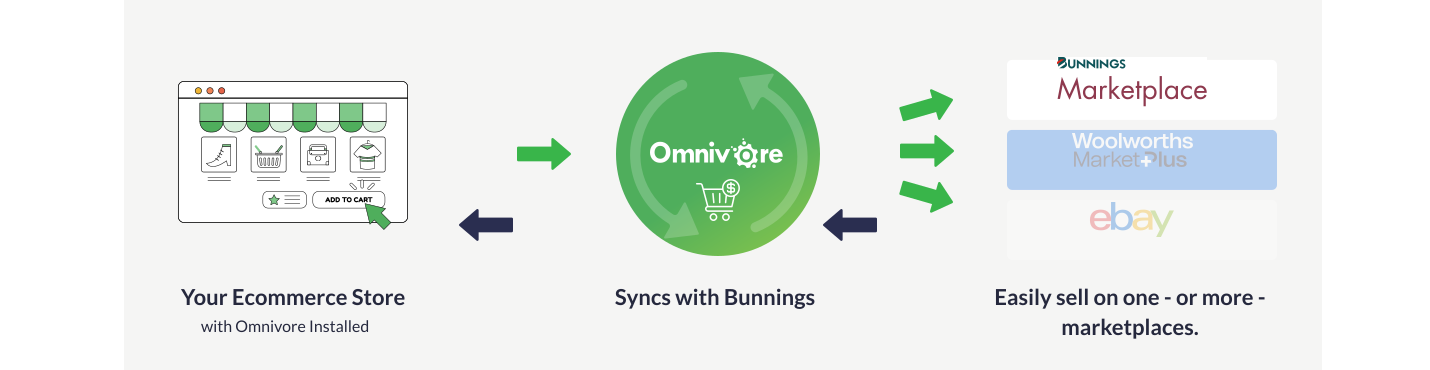
Manage all your marketplace listings from within Omnivore. Easily.
Start Here
Choose your platform
If your platform isn’t shown, choose ‘Custom Integration’








Questions about set up? Contact us today
From Your Product Catalogue to Bunnings-Ready

Know What's Cleared to Sell
WHAT IT MEANS FOR YOU
Manage products approved by Bunnings at brand, category or individual SKU level, with visibility over products that aren’t approved so you can identify and resolve issues.

Turn Existing Images Into Bunnings-Ready Assets
WHAT IT MEANS FOR YOU
Reorder, add and crop product images, including adding additional imagery to variants where required – helping your catalogue meet Bunnings’ category-specific image requirements.

Three Selling Points. Generated at Scale.
WHAT IT MEANS FOR YOU
Bunnings requires three Key Selling Points for product listings. Omnivore can use AI to generate them across your catalogue, saving your team from writing them product by product.

Get Your Product Titles Into Shape
WHAT IT MEANS FOR YOU
Adapt titles to suit Bunnings Marketplace requirements while keeping your original product information intact in your ecommerce system.

Keep Banned Content Out
WHAT IT MEANS FOR YOU
Automatically block banned keywords or content from descriptions before product information is sent to Bunnings – helping reduce avoidable listing issues.

Make Warranty Data Work
WHAT IT MEANS FOR YOU
Warranty is a required Bunnings attribute. Add it within Omnivore or map the warranty information already held in your existing product data.

Spot Approval Issues Faster
WHAT IT MEANS FOR YOU
See products that haven’t been approved by Bunnings, giving your team greater visibility into what needs attention and where issues need to be resolved.

One Catalogue - Built for Bunnings.
WHAT IT MEANS FOR YOU
Manage Bunnings-specific titles, descriptions, attributes, imagery and other listing information without rebuilding your core product catalogue.

Keep Orders in Your Existing Workflow
WHAT IT MEANS FOR YOU
Bunnings orders flow into your existing ecommerce system for fulfilment, with shipping and tracking updates automatically sent back to Bunnings.
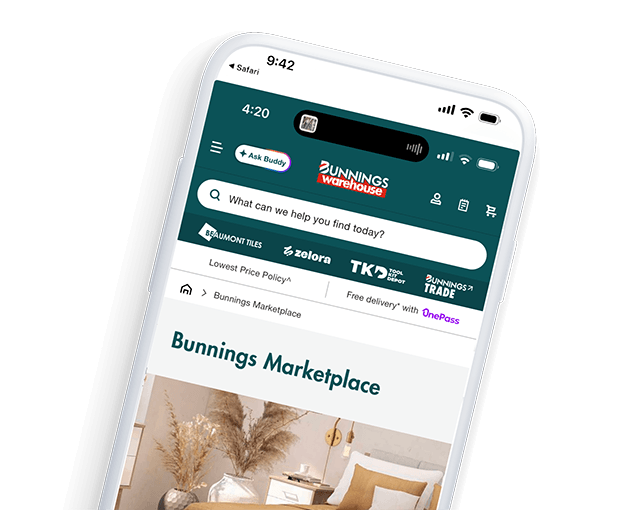
Got the Products – Not Sure if They’re Bunnings-Ready?
Our local marketplace team can help you understand what’s required to get your catalogue connected and ready for Bunnings Marketplace.

Support you can count on
Australian Local Experts – Real People + Real Results.
- Live onboarding
- Listing issue troubleshooting
- Platform-specific compliance help
- Marketplace insights + optimisation
FAQ’s about selling on Bunnings
Everything You Want to Know – Answered Simply.
Bunnings Marketplace is curated, with products approved based on factors including brand, category or individual SKU. Once your products are approved, Omnivore can help connect your ecommerce store and prepare your product data for Bunnings Marketplace.
Omnivore helps you control which approved products are sent to Bunnings and gives you visibility over products that aren’t approved, making it easier to identify and resolve issues.
Bunnings has marketplace-specific requirements across areas including product titles, imagery, Key Selling Points, descriptions, attributes and warranty information. Omnivore helps manage this information specifically for Bunnings.
Yes. Bunnings requires three Key Selling Points on product listings, and Omnivore can use AI to generate these across your catalogue.
Yes. Images can be reordered, added and cropped, and additional images can be added to variant products where required. Some Bunnings categories require three product images.
Yes. Titles can be adjusted for Bunnings Marketplace without changing the original product title held in your source ecommerce system.
Omnivore can block banned keywords or content from descriptions before product information is sent to Bunnings Marketplace.
Warranty is a required Bunnings attribute. You can add warranty information within Omnivore or map existing warranty data from your source system.
Orders can flow back into your connected ecommerce system, allowing your team to continue managing fulfillment through its existing workflow.
Your Next Marketplace
Could Be Bunnings.
See how Omnivore can help get your products approved, prepared and connected –
while keeping the operational complexity behind the scenes.